
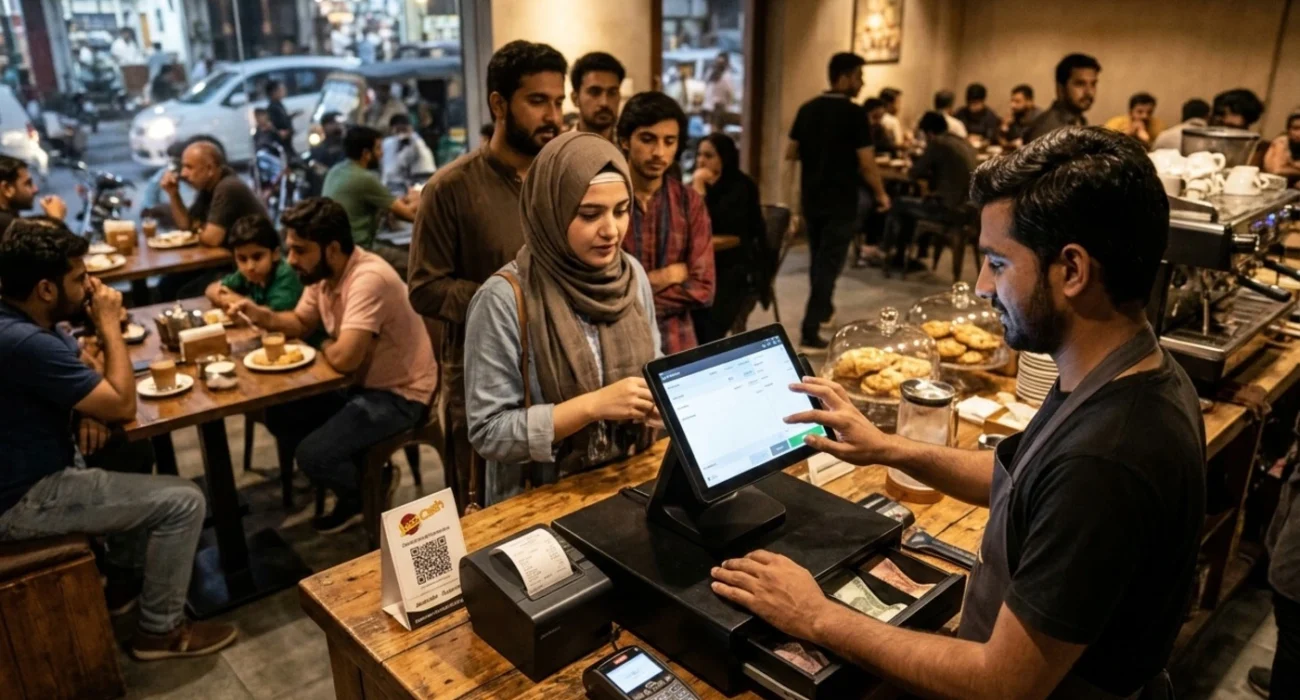
It’s 8 pm on a Friday. Your counter has a queue, your phone keeps buzzing, and a regular customer reminds you about the discount you promised yesterday. You say yes, you scribble the bill, and you hope the total is right.
Most Faisalabad shop owners have lived this evening. Hand written bills and Excel sheets do the job when business is small. Then one wrong total shows up. Then the stock count doesn’t match the shelf. Then you spend an hour at night trying to work out why the cash drawer is short.
That is the point where cashier software for small business starts to make sense. It keeps your bills, stock, cash and daily sales in one place, so you can stop counting and start selling. This guide is for owners around D Ground, Susan Road, Peoples Colony, Madina Town, Satiana Road and the markets near Clock Tower. We’ll go through cafes, restaurants, salons, garment shops, grocery stores and mega stores, then talk about cost and how to pick.
What is cashier software, and why do shops in Faisalabad need it?
Cashier software, also called point of sale software or POS, is the program that runs your billing counter. You scan or pick the items, add a discount if needed, take the payment and hand over the receipt. The payment can be cash, JazzCash, Easypaisa, a bank card or a Raast transfer. While you do all this, the software quietly updates your stock and records the sale.
For a small shop, the real benefit is peace of mind. Bills have fewer mistakes. You get a clear sales report every day. You can see which staff member gave which discount. And you always know how many pieces are left on the shelf.
Ever finished a long day and wondered where the cash went? This software answers that question. You can also check the day’s sales on your phone when you’re at home.
Cashier Software for Cafés: A Solution for Fast Ordering and Busy Counters Value of CRO
A cafe runs on speed. Orders are small, they come in fast, and nobody likes waiting for their tea. Good cafe cashier software lets your team punch in a chai, a sandwich and a cold drink in a few taps. The receipt prints and the order reaches the kitchen at the same moment. It should also handle combo deals, table or token numbers, and split bills when a group of friends shares one table.
Now think about where your cafe is. Near a college, an office area or a mall? Then pick software that keeps working when the internet drops. Load shedding and weak connections happen all the time here, and your billing shouldn’t stop because of them. Ask for an offline mode. It saves every sale on the device and syncs it later when the connection comes back.
Restaurant cashier software and advanced point of sale software for restaurants
Restaurants have more moving parts than cafes. There’s dine in, takeaway, home delivery, kitchen orders, waiters, and sometimes a family hall with a very big bill. Restaurant cashier software ties all of this together. The waiter takes the order, the kitchen sees it right away, the cashier closes the bill, and you see the day’s total without chasing paper slips.
Modern point of sale software for restaurant owners can also track recipes and ingredients, so you know when the chicken, cheese or cooking oil is about to run out. It also shows which dishes sell the most and which ones just sit on the menu.
People often search for pizza hut cashier software because they like how big chains take orders, send them to the kitchen and handle delivery. You don’t need a chain sized system on day one. But the basics work just as well for a local pizza point, a BBQ place or a family restaurant in Faisalabad: a clear order screen, kitchen tickets and delivery tracking. Some restaurants also have to issue invoices that follow Punjab Revenue Authority rules, so ask your provider if their software supports that.
Salon and Parlour Billing That Keeps Staff and Clients Happy
Salons don’t sell boxes of items. They sell time and skill. So billing here means services, packages, products and staff commission. Good cashier software for a salon lets you put a haircut, a facial and a bridal package on one bill. It also records which stylist did the work, so commission stays fair and nobody argues about it.
It helps to keep client history too: the last visit, the favourite service, the discount you gave. Regular clients feel special when you remember them, and your reception can send a WhatsApp reminder when it’s time for the next visit. Whether you run a small parlour in Madina Town or a bigger salon near Canal Road, clean records stop money arguments and keep the team happy.
Point of Sale Software for Garments Shops
Faisalabad is a textile city, and garment retail is one of its strongest businesses. But garment stock is tricky. Every design comes in different sizes and colours, and seasons change fast. Point of sale software for garments should let you make one product with many sizes and colours, scan the barcode on a tag, and see how many pieces of each size are left.
Sale season is where it pays off most. You can put a discount on a whole category in a few clicks. Exchanges and returns stop being confusing, and you can see which brands or designs are moving. If you sell ready made suits, kids wear or bridal dresses, a barcode printer and a simple POS can save you hours every week.
Softwares for Grocery Store Cashier Counters
Grocery shops handle hundreds of small items, weighed goods and prices that keep changing. Many owners look for softwares for grocery store cashier counters. The features that matter most are barcode scanning, a thermal receipt printer and a proper cash drawer. Weighing rice, sugar and fruit by the kilo, tracking expiry dates and getting low stock alerts help a lot too.
Credit customers are common as well, what we call udhaar or khata. Good software keeps a proper ledger, so you know exactly who owes you how much instead of trusting a notebook. A neighbourhood grocery store in Peoples Colony or Jinnah Colony gains a lot from this, because regular customers come in almost every day.
Mega Store Cashiers Software for Bigger Shops
When a shop grows into a mega store with several counters, the needs change. Mega store cashiers software has to handle many cashiers at once, thousands of products and sometimes more than one branch. You’ll want user roles, so a cashier can bill but can’t change prices, while a manager can see everything. Shift reports, cash in and cash out tracking, and shared stock between branches matter too.
Bigger stores often fall under tax rules. Ask if the software can issue invoices that follow FBR requirements, where they apply to your business. A mega store on Sargodha Road or Susan Road also gets very heavy rush hours, so speed matters more than pretty screens.
Best Point of Sale Software for Small Retail Business in Faisalabad
The best point of sale software for small retail business isn’t the one with the most buttons. It’s the one your staff can learn in a single day. Here is what to look for.
Easy to learn. If a new cashier needs a week of training, it’s too complicated.
Fast billing. A queue at your counter costs you sales, so a bill should take seconds.
Works offline. Your shop should keep selling even when the internet or power goes out.
Clear reports. You should see daily sales, profit, best selling items and low stock without opening ten screens.
Local support. When something breaks on a busy evening, you need someone who picks up the phone and speaks your language.
Cashier Software for Small Business: Features You Really Need
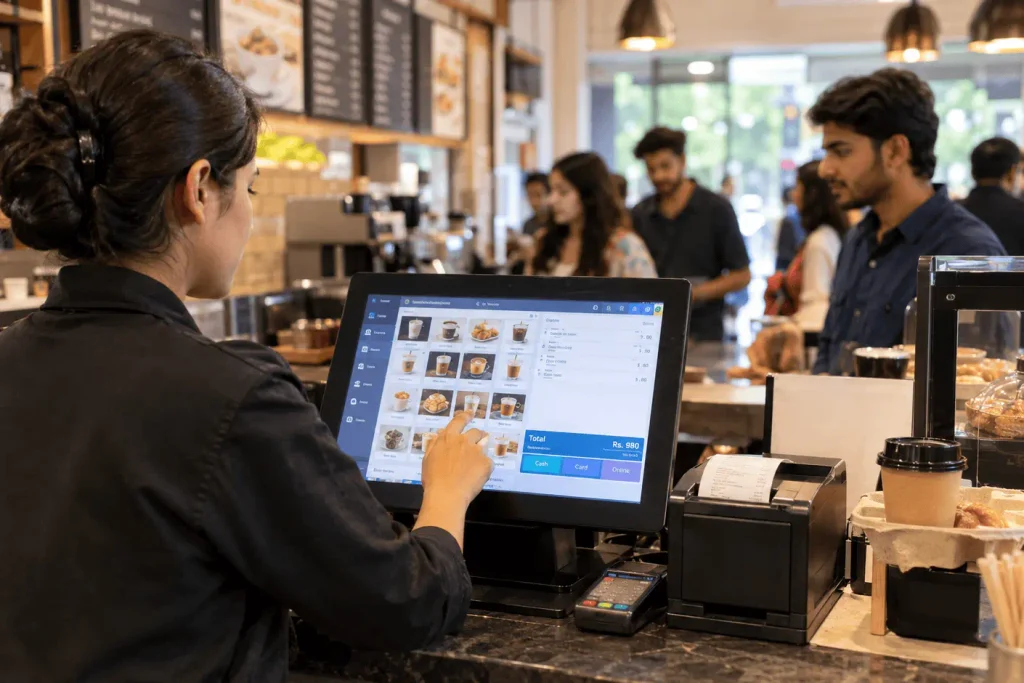
Choosing cashier software for small business can feel confusing, because every seller promises everything. Keep it simple. The must have features are fast billing, barcode support, stock tracking, daily and monthly reports, staff logins, discount control, automatic backup, and printed or WhatsApp receipts. Online orders, loyalty points and multiple branches are nice to have. Add them later, when your business is ready.
Skip anything you won’t use. Start with a basic plan, learn it well and grow from there. A simple tool your team uses every day beats a powerful one that sits unused.
Cashier Software Cost: What You Will Actually Pay For
Prices differ a lot, so be careful with any single number someone quotes you. Cashier software cost mostly depends on how you buy it. Some providers sell a one time licence. Some charge a monthly subscription. Some build a custom system just for your shop.
The price changes with the number of counters, the features you need, the hardware, the setup and training, and the support. Hardware means a computer or tablet, a barcode scanner, a thermal receipt printer and a cash drawer. Also ask about hidden costs like yearly renewal, extra fees for new branches and charges for updates.
Ask for a written quote and a live demo. Compare at least three providers. And don’t pick the cheapest one if nobody will help you after the sale.
A Quick Note on Cashiers Check Printing Software Download
Some people reach this topic after searching for cashiers check printing software download. That is a different tool. It prints bank cheques and doesn’t run a shop counter. If you want to manage billing, stock and daily sales, you need cashier software or a POS system, like the ones above.
Be careful with random software downloads from unknown websites too. Free files can carry viruses, stop working without warning and usually come with zero support. Buy from a provider you trust who gives updates and help.
How to Choose a Cashiers Software Store or Provider in Faisalabad
Whether you buy from a local cashiers software store, a software house such as Lincoz Tech or an online provider, ask a few honest questions. Can I see a live demo? Does it work offline? Who helps me if it stops on a busy Friday evening? Will you train my staff? Can I take my data with me if I leave? Can it print receipts in Urdu?
Local support matters a lot. A team based in Faisalabad, such as Lincoz Tech, can visit your shop, fix problems faster and understand how local businesses really work.
Final Thoughts
The right cashier software makes your counter faster, your stock cleaner and your end of day cash easier to trust. Start by writing down what your business really needs, whether you run a cafe, a restaurant, a salon, a garment shop, a grocery store or a mega store. Then ask for a demo, compare quotes and pick the team that will stand by you after the sale.
At Lincoz Tech in Faisalabad, we help local businesses set up and build software that fits the way they work. If you want help picking the right cashier software or want something made for your shop, message us on WhatsApp and tell us about your business.
Frequently Asked Questions
What is the best cashier software for a small shop in Faisalabad?
There is no single best option for every shop. The right one is easy enough for your staff to learn in a day, works offline, prints clear receipts and comes with support you can reach quickly. Ask for a live demo before you decide.
How much does cashier software cost?
It depends on how many counters you have, which features you need, and what hardware you buy. Some providers charge a one time licence, some a monthly fee, and some build a custom system. Ask for a written quote and check for yearly renewal or extra branch fees.
Can cashier software work without internet?
Yes, if it has an offline mode. It saves every sale on your device and syncs the data when the connection returns. This matters in Faisalabad, where load shedding and weak internet can stop a normal billing counter.
Do I need special hardware to run a POS system?
Not always. A small shop can start with a computer or tablet and a thermal receipt printer. A barcode scanner and a cash drawer help once you have many items or a busy counter.
Can one cashier software work for a cafe, a salon and a garment shop?
The basics are the same: billing, discounts, reports and stock. But each business needs different extras. Cafes need kitchen tickets and table numbers, salons need staff commission, and garment shops need sizes, colours and barcodes. Choose software that fits your business type.